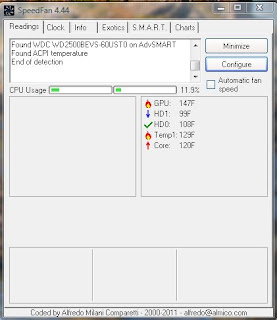
Modern computers have a wide array of monitoring points built into their systems for monitoring the temperature of hard drives, processor cores, and even Graphic Processing Units (GPUs). But most of the time you don't really have an easy way of monitoring those temperature readings.
SpeedFan is a great Free program for doing just that, plus a whole lot more. The default setting gives you readings in Celsius but you can easily set it to display Fahrenheit temperature readings. OK so this is all good and fine but what does this mean?
For one thing this little program can help you set up cooling for your computer, and give you instant feedback as to what is working. It could also give you an indication that there is a problem with a fan. If your fans are controllable it will let you change their speeds.
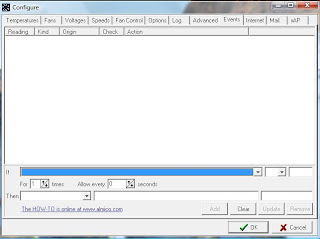
Now here is something that is extremely valuable, this program can allow you to set an event trigger, and then send you an email message, or execute an external program.
For example:
If Core temperature is > 100c for 3 times every 30 seconds then send mail “The server is too hot, come and service it at once.”
This feature is huge. You could have the computer execute a program that switches everything to the backup server, and shuts down the server with a problem.
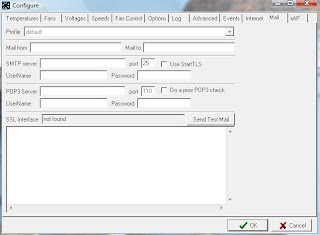
You can also set up a log file to capture readings for a period of time, so you can understand what's happening when you aren't around.
I spent time as a Systems Integrations Manager and this little program would have been in my toolbox for sure. There are many more features included in this little gem, I suggest you visit their
website, download the program, and send a nice donation to Alfredo Milani Comparetti if this program saves your bacon.


